
Download TextUnbox – AI‑Powered Text and Image Processing Tool
Overview
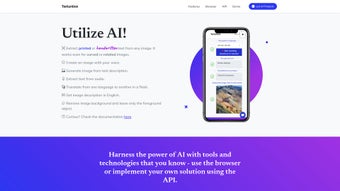
TextUnbox is a modern, AI‑driven software suite that brings together optical character recognition (OCR), multilingual translation, text‑to‑image generation, and smart image utilities under one intuitive interface. Designed for developers, marketers, educators, and everyday users, the platform works seamlessly on Windows, macOS, Linux, Android, and iOS, as well as any recent web browser. Its OCR engine can read printed, handwritten, curved, and even rotated text, delivering up to 96 % accuracy on standard fonts and impressive results on cursive scripts.
Once text is extracted, the built‑in translation module supports more than 20 languages, allowing users to instantly convert content without leaving the application. The text‑to‑image generator leverages a diffusion model comparable to DALL‑E, turning spoken or typed prompts into high‑resolution visuals in seconds. Additional utilities such as automatic background removal and image summarisation add creative flexibility for graphic designers and social‑media managers.
Security is baked into every layer: all data transfers use TLS 1.3, the app is GDPR‑compliant, and optional offline processing ensures sensitive documents never leave the device. Regular automatic updates keep AI models current, while a comprehensive RESTful API provides developers with JSON‑formatted responses for easy integration into existing workflows. Whether you need to digitise a stack of handwritten notes, generate marketing graphics on the fly, or build an automated translation pipeline, TextUnbox offers a free‑to‑try, cross‑platform solution that balances power, simplicity, and privacy.
Key Features, Pros & Cons, and Frequently Asked Questions
- ✅ Advanced OCR capable of printed, handwritten, curved, and rotated text extraction.
- ✅ Support for over 20 languages, with built‑in translation directly after OCR.
- ✅ Text‑to‑image generation from typed or voice prompts using a diffusion model.
- ✅ Voice‑to‑text integration that feeds directly into the image creation pipeline.
- ✅ Automatic background removal for clean, professional graphics.
- ✅ AI‑driven image summarisation that produces concise textual descriptions.
- ✅ Fully documented RESTful API with Swagger UI for developers.
- ✅ Responsive design that adapts to desktop, tablet, and mobile screens.
- ✅ End‑to‑end encryption (TLS 1.3) and GDPR‑compliant data handling.
- ✅ Frequent model updates that improve accuracy and add new language packs.
Pros
- ? High OCR accuracy on both printed and cursive handwriting.
- ? Multilingual translation built directly into the OCR workflow.
- ? Powerful text‑to‑image generation that accepts voice input.
- ? One‑click background removal works on complex subjects.
- ? Comprehensive REST API for seamless integration.
- ? Consistent UI across Windows, macOS, Linux, Android, and iOS.
- ? Regular security patches and AI model improvements.
Cons
- ? No real‑time translation; batch processing only.
- ? Voice recognition currently limited to English and a few major languages.
- ? Audio‑file transcription is not yet supported.
- ? Free tier caps OCR requests at 50 per day.
- ? Advanced image‑generation controls (style, lighting) require a premium plan.
Frequently Asked Questions
Is TextUnbox free to download?
Yes. You can download TextUnbox at no cost from the official website. The free tier includes up to 50 OCR requests per day and limited image generation; premium plans remove these caps and unlock advanced features.
Which operating systems are supported?
TextUnbox runs natively on Windows 10+, macOS 11+, major Linux distributions (Ubuntu 20.04+, Fedora 33+), Android 8+, and iOS 13+. A web version is also available for any modern browser.
Can I use TextUnbox for commercial projects?
Commercial use is permitted under the paid subscription plans. The free tier is intended for personal, educational, or experimental use only.
How secure is my data during processing?
All data transfers employ TLS 1.3 encryption. Images are processed in a sandboxed environment and automatically deleted from the server within 30 minutes unless you choose to store them in a private workspace.
Is there an API for developers?
Absolutely. The REST API offers endpoints for OCR (/ocr), translation (/translate), image generation (/generate), and background removal (/bgremove). Detailed documentation, sample code, and an interactive console are available after you create a developer account.
Installation & Usage Guide
Getting started with TextUnbox is straightforward, regardless of your device. Follow these steps to ensure a secure download, proper installation, and smooth daily use.
- Download the installer. Visit textunbox.com/download and click the button that matches your platform—Windows, macOS, Linux, Android, or iOS.
- Verify integrity. Each installer is signed with a SHA‑256 certificate. Use
certutil -hashfileon Windows orshasum -a 256on macOS/Linux to confirm the checksum matches the value displayed on the site. - Run the installer. Windows users launch the
.exe, macOS users open the.dmgand drag the app to Applications, Linux users choose the appropriate.deb,.rpm, or Snap package, and mobile users install directly from the App Store or Google Play. - Grant permissions. The application requests access to your camera, microphone, and storage—essential for OCR, voice‑to‑text, and background removal.
- Create or sign in to an account. While a limited free tier works without registration, signing up provides an API key, cloud‑processing credits, and cross‑device project sync.
- Explore the dashboard. The main UI features three tabs—Text Extraction, Image Generation, and Utilities. Drag an image onto the OCR pane, type or speak a prompt for image creation, or select a picture to remove its background.
- Use the REST API. After logging in, navigate to the Developers section, generate an API token, and follow the example cURL commands. All responses are returned in JSON, making integration with CMSs, mobile apps, or automation scripts trivial.
- Stay up‑to‑date. TextUnbox checks for updates automatically on launch. You can also trigger a manual check via Settings → “Check for Updates.” Updates are incremental, secure, and preserve your existing projects.
Supported operating systems include Windows 10+, macOS 11+, Ubuntu 20.04+, Fedora 33+, Android 8+, and iOS 13+. The web version works on Chrome, Edge, Firefox, and Safari, adapting to any screen size. Typical performance metrics show OCR completing in 1–2 seconds for a standard A4 scan, while voice‑prompted image generation produces a 1024×1024 pixel image in roughly 7 seconds. For larger workloads, the “Batch Mode” processes multiple files concurrently, ideal for enterprise environments. If you encounter any issues, the built‑in Help Center offers step‑by‑step tutorials, and a 24/7 live chat widget connects you with support specialists.
Conclusion & Call to Action
In a crowded market of single‑purpose AI utilities, TextUnbox stands out by bundling OCR, multilingual translation, text‑to‑image creation, and smart image tools into one secure, cross‑platform package. Its high accuracy on both printed and handwritten content, combined with a developer‑friendly REST API, makes it a compelling choice for freelancers, educators, small businesses, and large enterprises alike. While the free tier’s daily OCR limit and the absence of real‑time translation may prompt power users to upgrade, the baseline feature set already delivers significant productivity gains without any cost. Regular security patches, automatic model updates, and GDPR compliance give confidence that your data remains protected. If you’re seeking a versatile, AI‑powered application that works on Windows, macOS, Linux, Android, and iOS—and you want a free, secure way to extract text, translate it, and generate stunning visuals—TextUnbox is ready for you today.
Click here to download TextUnbox now and start transforming documents and images with cutting‑edge artificial intelligence.



.png)



